
Phone Se Production Desk Tak: Kya Badla?
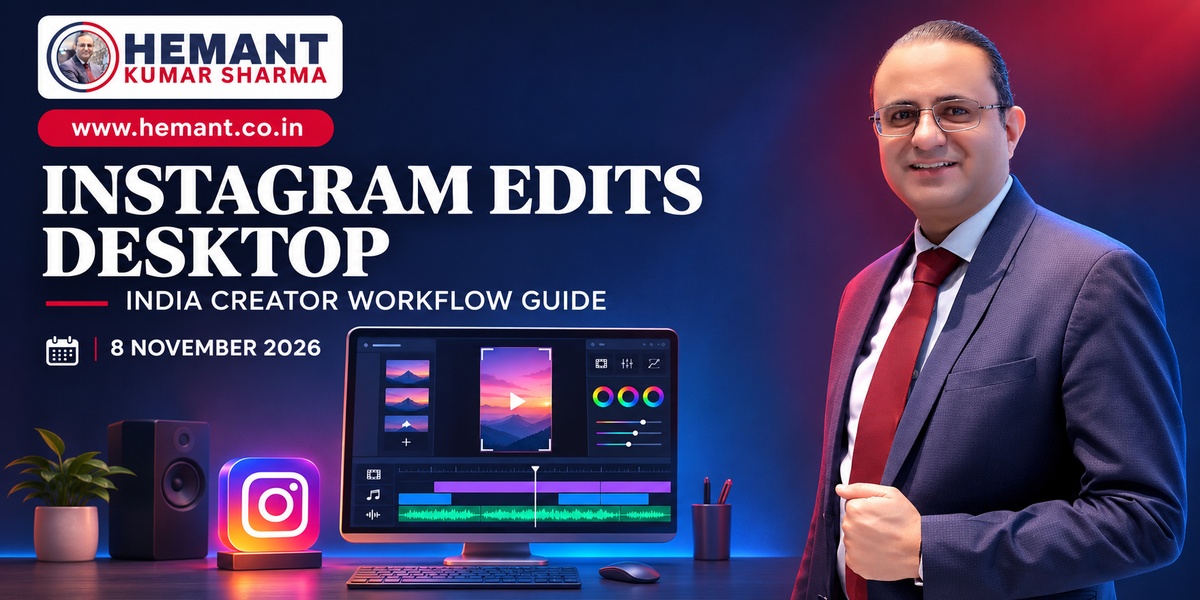
Short-form video ka idea mobile-first tha, lekin serious production mobile-only nahin rehta. Multiple camera clips, precise audio cuts, brand fonts, colour correction, captions aur client approvals jaise steps jaldi hi phone screen ko cramped bana dete hain. Instagram ne 5 November 2026 ko Edits ka first desktop version macOS ke liye release kiya. Isse creators ko multi-track timeline, keyframes, detailed audio waveforms, colour controls, custom fonts aur LUT imports jaise tools ek larger workspace mein milte hain.
Indian creators aur marketing teams ke liye launch ka real value sirf “desktop app aa gaya” nahin hai. Important question yeh hai: kya Edits agency workflow ko faster, more consistent aur measurable bana sakta hai? Answer ho sakta hai “haan”, but only with clear guardrails. App abhi Mac-only hai, mobile aur desktop par same project ka seamless cross-device editing development mein hai, aur AI-agent support ko automatic final-quality editing nahin samajhna chahiye.
Confirmed Facts: Edits Desktop Mein Kya Available Hai
macOS par first desktop release
Instagram Edits team ke 5 November announcement ke mutabik first desktop editor macOS ke liye available hai. Product ko involved projects ke liye design kiya gaya hai, jahan larger display aur mouse-keyboard precision useful hoti hai. Public reporting ke mutabik Windows ya Linux version announce nahin hua. Isliye “desktop availability” ko all-computer availability bolna inaccurate hoga.
Timeline, audio aur colour controls
Desktop version full multi-track timeline, keyframes, precise audio waveforms, splitting, cutting and trimming controls provide karta hai. Colour wheels, log conversions aur curves footage ko grade karne mein help karte hain. Teams imported fonts aur LUT files use kar sakti hain, jo distributed production mein brand consistency ke liye useful hai.
Captions, aspect ratios aur export
Edits automatic captions, multiple horizontal and vertical aspect ratios, direct Instagram publishing aur watermark-free 4K export support karta hai. Instagram ki licensed and royalty-free audio libraries bhi available hain. “Royalty-free” ko however “every commercial use, every geography and every platform par unrestricted” assume nahin karna chahiye; publishing destination aur campaign type ke rights separately verify karein.
MCP aur AI-assisted editing
Desktop app Model Context Protocol support karta hai. Compatible agents—including Meta Muse ke supported workflows—rough cut assemble karne ya editing operations execute karne mein assist kar sakte hain. Yeh meaningful capability hai, but agent ko project files aur editing actions ka access mil sakta hai. Sensitive client footage, unreleased products, employee videos ya regulated claims ke saath least-privilege access essential hai.
Jo abhi confirmed nahin hai
Cross-device project hand-off abhi complete nahin hai; Meta ne is capability par kaam hone ki baat kahi hai. Windows availability, India-specific pricing, enterprise administration, guaranteed weekly feature delivery, identical music rights aur AI edits ki accuracy public announcement se establish nahin hote. Launch coverage ko in points par promise nahin banana chahiye.
Indian Creators Aur Businesses Ke Liye Practical Value
Creator aur solo consultant workflow
Solo creator phone par capture kar sakta hai, assets Mac par organise karke detailed edit build kar sakta hai, captions manually review kar sakta hai aur final version watermark ke bina export kar sakta hai. Yeh YouTube Shorts, Instagram Reels, LinkedIn video aur client previews ke liye one-master, multiple-output workflow ko simpler bana sakta hai.
Hinglish content mein caption QA especially important hai. Auto-caption “lead”, “लीड”, city names, brand terms aur English acronyms ko confuse kar sakta hai. Publish se pehle transcript ko speaker ke intent, punctuation aur on-screen timing ke against check karein. Hindi, Telugu, Tamil, Bengali ya mixed-language content ke liye native-language reviewer include karna sensible hai.
Agencies aur distributed teams
Agencies shared font pack, approved LUTs, intro-outro templates, caption rules aur export presets define kar sakti hain. Edits desktop rough production ko consolidate kar sakta hai, lekin client approval, file naming, source-footage backup aur version control ke liye separate process phir bhi chahiye.
Ek practical setup ho sakta hai: editor rough cut banaye, copy lead claims and captions review kare, brand owner final frame and CTA approve kare, aur publisher final exported file ko scheduled channel mein upload kare. Direct Instagram publishing convenient hai, but high-risk campaign mein approval ke bina one-click publishing avoid karein.
Local businesses
Restaurants, clinics, coaching centres, retailers aur real-estate teams weekly offer videos, explainers, testimonials aur FAQs produce kar sakte hain. Desktop timeline staff ko multiple phone clips, customer voice-over, price cards aur location footage combine karne de sakti hai. But healthcare, finance, education outcomes and property claims ke liye visual polish compliance review ka substitute nahin hai.
Recommended Production Workflow
1. Brief ko editable structure mein convert karein
Video objective, audience, promised outcome, CTA, mandatory disclaimer, aspect ratio aur publishing channels upfront define karein. Ek hi footage se five channels cover karne ki attempt mein messaging dilute na karein. Har output ka primary job choose karein: reach, education, lead generation ya conversion support.
2. Brand asset kit lock karein
Approved fonts, logo safe area, colour values, LUTs, lower-third format, caption style aur outro template create karein. Team members ko local copies bhejne ke bajay controlled source folder use karein. Old logo or outdated disclaimer accidental use se bachne ke liye asset owner aur review date record karein.
3. Rough cut ko AI-assist tak limit karein
Agent se silence removal, clip ordering, rough captions ya alternate hooks suggest karaye ja sakte hain. Final message, sensitive visual selection, customer identity, claims and publishing decision human reviewer ke paas rahe. MCP connection ko broad account access dene ke bajay test project aur non-confidential footage se start karein.
4. Caption aur language QA karein
Auto-captions ko source audio ke against line by line check karein. Hinglish spelling consistent rakhein, regional terms ko audience ke natural usage ke hisaab se write karein, aur critical price/date/phone number ko visual plus spoken form mein verify karein. Accessibility ke liye readable contrast, safe font size aur sensible reading speed maintain karein.
5. Rights and consent check karein
Music library availability ko commercial rights proof na maan lein. Client contract, talent release, customer testimonial consent, location permission, stock-asset licence aur platform-specific music terms document karein. Minors ya sensitive workplaces ki footage mein extra consent and safeguarding controls apply karein.
6. Export aur distribution separate rakhein
4K export useful hai, lekin every platform par 4K upload business outcome improve nahin karta. Storage, upload bandwidth, compression and viewer device consider karein. Master file archive karein, then channel-specific versions export karein. Direct Instagram publish karte waqt final caption, tags, paid-partnership label and destination link separately verify karein.
India-Specific Risks Jo Ignore Nahin Karne Chahiye
Device aur team-access inequality
Mac-only launch ka matlab har freelancer, junior editor ya regional production partner same workflow join nahin kar sakta. Agency procurement decision se pehle existing hardware, training cost aur hand-off friction measure kare. Windows-heavy team ko workaround-based process mein lock karna productivity ko ulta reduce kar sakta hai.
Client data aur unreleased footage
Wedding videos, patient stories, financial documents, employee footage aur product prototypes sensitive ho sakte hain. AI agent ya connected app ko asset access dene se pehle data-processing terms, retention, permission scope and revocation method verify karein. Highly confidential projects ko isolated workflow mein rakhein.
Regional-language accuracy
Caption errors sirf cosmetic issue nahin hote. Medicine dose, fee, date, location, legal term ya financial rate galat transcribe ho jaye to customer harm and brand risk create ho sakta hai. Regional reviewer aur final fact sheet mandatory rakhein.
Short-video content ko campaign objectives, landing pages aur measurable enquiries se connect karne ke liye digital marketing agency services ka scope apne production plan ke saath align karein.
30-Day Pilot Plan
Week 1 mein ek low-risk content series choose karein—jaise product education ya weekly FAQ—and baseline record karein: editing time, tools used, caption error rate, revisions and publishing turnaround. Week 2 mein brand kit, two export presets and approval checklist test karein. Week 3 mein limited MCP-assisted rough cut run karein, without customer data or direct publishing access. Week 4 mein output quality, total labour, revision count, audience retention, click-through or qualified leads compare karein.
Pilot successful tab maana jaye jab workflow faster hone ke saath caption corrections, brand deviations or approval misses increase na hon. Sirf views ko success metric na banayein. Business content ke liye time-to-publish, revision cost, completion rate, saves, enquiries and attributable conversions stronger indicators ho sakte hain.
Facts and Business Implications
Confirmed: Instagram Edits ka first macOS desktop version 5 November 2026 ko announced hua; it includes multi-track editing, keyframes, waveforms, colour tools, custom assets, direct Instagram publishing, watermark-free 4K export and MCP support. Cross-device editing development mein hai, and the reviewed release is Mac-only.
Analysis: Indian teams ke liye cost saving, faster production or better campaign performance guaranteed nahin hai. Value device mix, content volume, review discipline, rights management and measurement quality par depend karega. AI-assisted rough cuts productivity improve kar sakte hain, but human editorial and compliance accountability remain essential.
Conclusion
Instagram Edits desktop creator stack ko phone-only convenience se structured production ki taraf push karta hai. Indian creators, consultants aur businesses ke liye opportunity real hai—especially when one shoot se multiple formats banana ho. Best approach hype-led migration nahin, controlled pilot hai: brand kit fix karein, caption accuracy verify karein, agent permissions narrow rakhein and business outcomes measure karein.
Discuss Your Business Strategy
Creator workflow, short-video strategy ya campaign-production process ke liye Hemant Kumar Sharma ke saath strategic digital marketing consultation explore karein. Call/WhatsApp: +91 98116 81687.
Sources
Instagram Edits blog, “Edits on desktop is here,” published 5 November 2026: https://edits.instagram.com/blog/edits-desktop-video-editor/
The Verge, product report published 5 November 2026: https://www.theverge.com/tech/1027444/instagram-edits-desktop-ai-agents-muse-mcp
Meta, original Edits launch background, published 22 April 2025 and updated 17 December 2025: https://about.fb.com/news/2025/04/introducing-edits-streamlined-video-creation-app/