
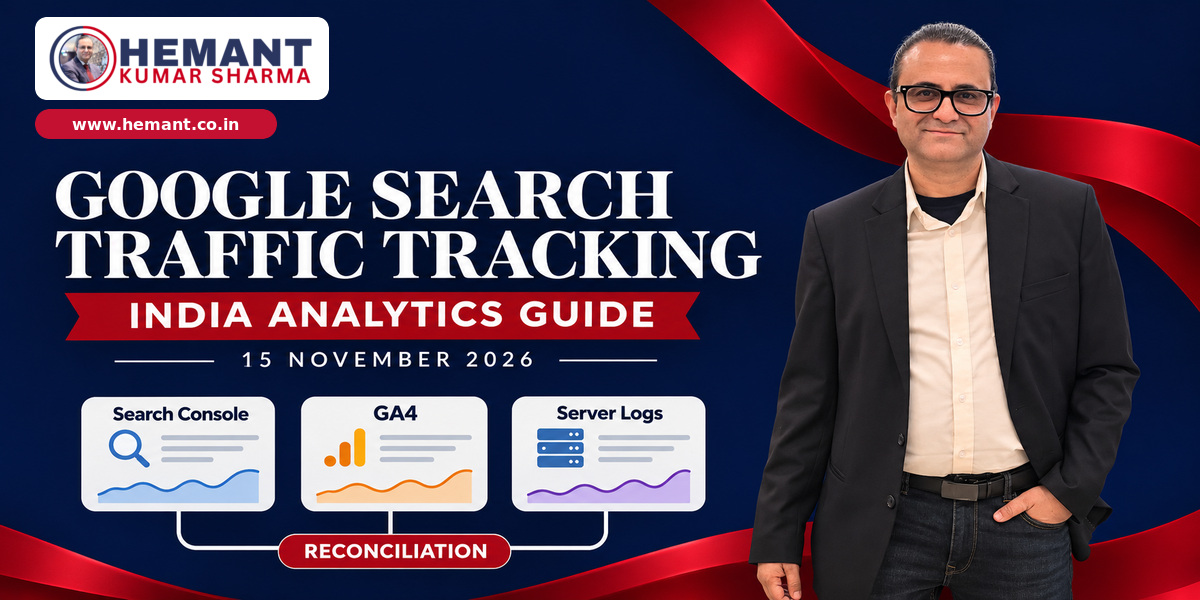
Introduction: Teen reports, teen alag numbers—aur teeno sahi ho sakte hain
SEO report kholte hi ek familiar problem dikhti hai: Google Search Console 10,000 clicks batata hai, GA4 mein 8,200 organic sessions hain, aur server logs mein Google-origin landing requests ka third number aa raha hai. Team ka first reaction hota hai—tracking broken hai, ranking data wrong hai, ya traffic “missing” hai.
Google Search Central ne 12 November 2026 ko official documentation publish karke explain kiya ki Google Search traffic ko HTTP Referer header ke through analytics aur server logs mein kaise identify kiya ja sakta hai, aur Search Console ke numbers 1:1 match kyun nahi karenge. Guidance technical lagti hai, but iska business use direct hai: sudden organic decline ko algorithm update declare karne se pehle attribution, redirects, consent and page-load behaviour diagnose kiya ja sakta hai.
Indian agencies, consultants and in-house teams ke liye yeh especially relevant hai because many sites simultaneously GA4, Google Tag Manager, consent banners, CDN rules, redirects, UPI/payment journeys, WhatsApp handoffs and custom dashboards use karte hain. Har layer measurement ko differently affect kar sakti hai.
Confirmed facts: Google ki new guidance kya kehti hai
Google Search Central’s update log records a new traffic-identification document dated 12 November 2026. The documentation confirms:
- Google Search web traffic normally sends
https://www.google.com/or a local Google domain as the origin in the HTTPRefererheader. - Google’s Android app can send an
android-app://com.google.android.googlequicksearchbox/https/www.google.comreferrer when it opens a result in a browser tab; it may also send a normal Google web origin. - iOS Google app traffic normally uses the Google web origin or a local Google domain.
- The referrer contains the origin, not the search query. Query reporting still comes from Search Console’s Performance report.
- Analytics, server logs and Search Console can disagree because they use different measurement methods and can be affected by privacy settings, consent, ad blockers, redirects, referrer policies and paid-versus-organic classification.
Official documentation: https://developers.google.com/search/docs/monitor-debug/identify-google-search-traffic
Official update log: https://developers.google.com/search/updates
This guidance does not announce a ranking change, a new Search Console report or a guaranteed way to recover every missing visit. It explains identification and reconciliation.
Search Console click, GA4 session and server request ek cheez nahi hain
Search Console click
Search Console records an organic Google Search click according to Google’s own reporting rules. It can show query, page, country, device and search appearance dimensions, subject to aggregation and privacy limits. The click is recorded at the Search surface.
GA4 session
GA4 generally needs the destination page to load and the tag to execute. Consent settings, blockers, JavaScript errors, slow loading or a user closing the page quickly can prevent a session from being recorded even when Search Console counted a click. One person may also create session behaviour that does not map cleanly to one click.
Server-log request
The web server or CDN can record a landing-page request even when the analytics tag never runs. But logs include bots, asset requests, health checks, prefetching and repeated requests. “Google referrer present” does not automatically mean “valid human organic session.”
Best practice is not to force equality. Use each source for the question it answers:
- Search Console: Google Search visibility and click behaviour.
- GA4: on-site sessions, engagement and conversions where measurement is permitted and working.
- Server/CDN logs: requests that reached infrastructure, including visits invisible to client-side analytics.
Google referrer ko safely identify kaise karein
Match host, not a loose text fragment
If you use custom analytics or log queries, parse the referrer as a URL and validate its host. A naive rule such as “contains google” can misclassify unrelated domains. Account for www.google.com, legitimate local Google domains and the documented Android-app value.
Do not rely on the referrer path or query, because Google’s origin policy sends only scheme and host. Search terms will not be present.
Count landing documents, not every asset
When a result page loads, the browser also requests images, CSS, JavaScript and fonts. Those asset requests can carry your own page as referrer. Google’s documentation advises focusing on requests for landing pages when identifying Search visits. Filter by HTML/document response or route type, and exclude known static assets.
Keep paid and organic separate
Search Console covers organic Search clicks, not Google Ads clicks. Your analytics or logs may include both if channel rules are loose. Preserve auto-tagging parameters such as gclid through redirects, and maintain a separate paid-search classification. Otherwise a redirect that drops parameters can make paid traffic look organic, referral or direct.
Why Google traffic appears as direct or referral
Custom channel rules
GA4 or another analytics system may have custom definitions that override standard organic classification. Review channel groups, source/medium rewrites and filters. A local Google domain or Android app value can fall into referral or unassigned if the rule is too narrow.
Redirect chains
JavaScript redirects and meta refresh can replace the original referrer with your own page. Multi-hop HTTP redirects can also drop query parameters or apply a stricter Referrer-Policy. Audit all campaign, language, trailing-slash, HTTP-to-HTTPS and app-deep-link redirects.
Consent and privacy controls
An Indian visitor may reach the page but decline analytics consent. The server sees the request; GA4 may not record a normal session. Browser privacy settings, extensions and ad blockers can create a similar gap. This is not automatically a tracking defect; it may be the intended privacy outcome.
Page-load and tag failures
If the page returns slowly, crashes, or loads third-party tags after a long delay, users can leave before analytics initializes. Compare server response time, frontend errors and tag execution on affected landing pages.
India-specific implications
Consent implementation will increase measurement gaps
As India’s DPDP framework moves into phased implementation, businesses should expect a stronger distinction between traffic that reached infrastructure and traffic eligible for analytics processing. Reporting should not quietly model all unmeasured visits as consented users.
Multilingual and regional domains
Indian sites often use language folders, subdomains or redirects based on geography and browser settings. A Google-origin request can lose attribution during automatic language redirection. Test English, Hindi and regional-language landing pages from both web Search and the Google app.
Lead generation beyond the website
A visitor may land from Search, click WhatsApp or call immediately and never generate a form event. Search Console can show the click, server logs the landing request, GA4 the session if consented, and CRM no source unless handoff tracking is implemented. Use tagged WhatsApp links, call-tracking governance and CRM source capture without treating any one system as the complete truth.
CDN and managed hosting access
Small businesses may not have raw Apache or Nginx logs, but Cloudflare, cPanel, managed WordPress hosts and other CDNs often provide request analytics. Confirm retention, privacy, timestamp timezone and export limits before promising a historical reconciliation.
A practical three-way reconciliation workflow
Step 1: Fix the comparison window
Use the same dates, timezone and property scope. Note that Search Console can have different freshness and aggregation behaviour from GA4. Avoid comparing a partial current day with a completed prior day.
Step 2: Choose landing pages, not only totals
Start with ten important organic landing pages. Pull Search Console clicks by page, GA4 organic sessions/landing pages, and server or CDN document requests with valid Google referrers.
Step 3: Create a discrepancy table
For each page record Search Console clicks, GA4 sessions, server landing requests, redirect status, consent rate, response time, tag errors and paid-parameter preservation. Look for patterns rather than one “correct” total.
Step 4: Segment by device and route
Mobile gaps may point to Google app referrers, slow pages or consent UX. One language folder may reveal a redirect issue. A single template may have broken tagging.
Step 5: Validate with controlled tests
From a test device, click a known Google result, capture the request in browser developer tools, inspect redirect hops, confirm the final referrer/source classification and check whether the analytics event fires after the chosen consent state. Do not search and click repeatedly at scale.
Step 6: Document acceptable variance
Define expected reasons for mismatch and escalation thresholds. The goal is explainable measurement, not artificial equality.
14-day audit plan for agencies and businesses
Days 1–3: Inventory
List Search Console properties, GA4 streams, GTM containers, CDNs, redirects, consent tools and server-log access. Record owners and data retention.
Days 4–6: Classification review
Inspect organic, paid, referral, direct and unassigned channel rules. Add the documented Android-app referrer where custom processing requires it. Check local Google domains.
Days 7–9: Redirect and landing-page tests
Test top SEO pages, language routes and paid-to-organic boundaries. Verify gclid preservation, canonical destination, status codes and referrer policy.
Days 10–11: Consent and tag diagnostics
Compare accept, reject and no-interaction states. Confirm what is intentionally not measured. Review tag firing, errors and page speed.
Days 12–14: Reporting standard
Create a monthly reconciliation note with definitions, known gaps, material anomalies and actions. Train client-facing teams to say “clicks,” “sessions” or “landing requests” precisely.
Confirmed facts versus analysis
Confirmed: Google published the identification guidance on 12 November 2026, documents expected web and app referrer values, states that search queries are not present, and explains why analytics/log data may not match Search Console.
Analysis: A three-way reconciliation is a practical agency control for diagnosing attribution issues and communicating SEO performance. The appropriate threshold and log-query implementation depend on the site, consent design, analytics stack and infrastructure.
Common mistakes to avoid
- Treating Search Console clicks and GA4 sessions as interchangeable
- Counting every Google-referred asset request as a visit
- Using “contains google” instead of validating the referrer host
- Forgetting Android Google app referrers
- Dropping
gclidor source parameters during redirects - Calling privacy-driven measurement gaps a technical failure
- Blaming a ranking update before checking classification and page health
Conclusion
Google’s new documentation does not eliminate reporting differences; it makes them easier to explain. Search Console, GA4 and server logs observe different stages of the journey. When teams reconcile them at landing-page level, they can separate genuine visibility change from tracking, consent, redirect and page-load problems—and give clients a more honest SEO story.
Our SEO agency services can help diagnose changes in organic traffic. Book a strategic consultation for a plan to reconcile Search Console, GA4 and lead reports.