
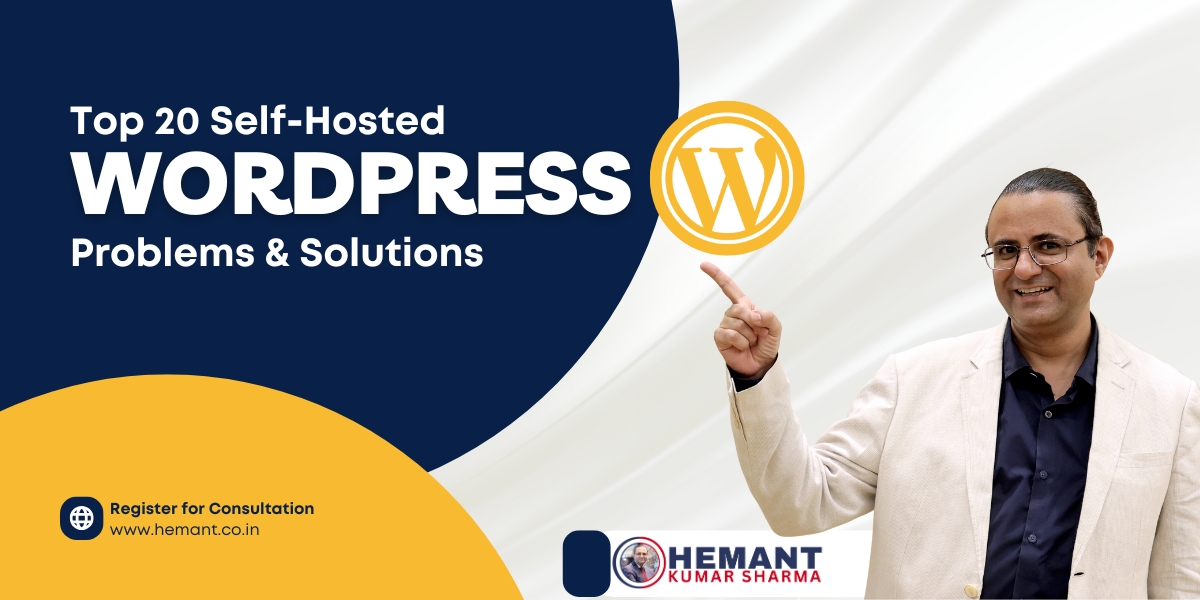
WordPress ka apna ek charm hai – flexible, powerful, aur beginners ke liye perfect platform. Lekin jab baat self-hosted WordPress site ki aati hai, toh thoda sa technical knowledge zaroori ho jaata hai. Agar aap India mein apna website khud manage kar rahe ho, ya kisi client ke liye kaam kar rahe ho – chances hain aapne bhi kuch common WordPress problems face kiye honge.
Iss blog mein, main – Hemant Kumar Sharma, aapka trusted digital marketing consultant – share kar raha hoon 20 most common WordPress problems and their beginner-friendly solutions. Content crisp hai, Hinglish mein hai, aur bilkul real world experience par based hai. Yeh blog not only help karega SEO ke liye, but practical bhi hoga unke liye jo apna blog ya business website self-manage karte hain.
1. Slow Website Speed (Website ka slow load hona)
Issue: Jab website open karne mein 4-5 seconds se zyada time lage, toh visitor bounce maar jaata hai. Google bhi slow websites ko rank kam deta hai.
Solution:
- WP Super Cache ya LiteSpeed Cache jaise plugin install karo.
- Smush se images compress karo.
- Lightweight theme use karo jaise Astra ya GeneratePress.
- Cloudflare ya BunnyCDN jaisa CDN enable karo.
Pro Tip: Hosting plan upgrade karo agar shared hosting bahut slow chal rahi ho.
2. Plugin Conflicts (Plugins ka aapas mein takrana)
Issue: Do plugins same functionality ke liye jab conflict karte hain, toh site crash ho sakti hai.
Solution:
- Sabhi plugins deactivate karo, aur ek-ek karke activate karke culprit dhoondo.
- Always reputed plugins install karo jo recent update ke sath aaye ho.
Word of Caution: Niche websites ke liye kam se kam plugins rakho.
3. White Screen of Death (WSOD)
Issue: Website ya admin panel blank screen dikhaata hai – no error, no message.
Solution:
wp-config.phpmeindefine('WP_DEBUG', true);daalo.- PHP memory limit badhao (e.g.,
256M). - Theme aur plugin folder ka naam FTP se temporarily change karo to disable.
4. Internal Server Error (Error 500)
Issue: Ye server-side issue hota hai jab .htaccess ya PHP memory crash ho jaata hai.
Solution:
- .htaccess file ko rename karo.
- Memory limit increase karo.
- Faulty plugin ko deactivate karo.
5. Error Establishing Database Connection
Issue: WordPress ko database access nahi mil raha.
Solution:
wp-config.phpfile mein DB name, user, password check karo.- Hosting panel se database ko repair karo.
- Agar sab thik hai aur fir bhi error hai, to hosting provider se contact karo.
6. Hacked Site or Malware Attack
Issue: Site par spam content ya redirect hone lage toh samjho site hack ho gayi.
Solution:
- Wordfence ya Sucuri jaisa security plugin install karo.
- Sabhi themes aur plugins update karo.
- Last backup restore karo.
7. Spam Comments
Issue: Blog comments mein irrelevant ya spam links bhar jaate hain.
Solution:
- Akismet ya Antispam Bee plugin use karo.
- Comments ko “manually approve” par set karo.
- ReCAPTCHA enable karo.
8. Contact Form Not Working
Issue: Visitors message bhejte hain par aapko email nahi milti.
Solution:
- WP Mail SMTP plugin install karke Gmail SMTP setup karo.
- Contact Form 7 ya WPForms plugin ka use karo.
- Email spam folder bhi check karo.
9. Image Upload HTTP Error
Issue: Media upload karte time HTTP error dikhta hai.
Solution:
- Image size resize karo (max 2000px).
wp-config.phpmein GD library enable karo.- Hosting ke PHP limits check karo.
10. PHP Memory Exhausted Error
Issue: “Allowed memory size exhausted” error aata hai.
Solution:
wp-config.phpmeindefine( 'WP_MEMORY_LIMIT', '256M' );add karo.- Heavy plugins ko disable karo.
11. No Backups
Issue: Agar site crash ho gayi toh koi recent backup nahi.
Solution:
- UpdraftPlus ya Jetpack Backup plugin install karo.
- Google Drive ya Dropbox pe auto-backup set karo.
- Weekly backup schedule rakho.
12. WordPress Not Updated
Issue: Core ya plugin outdated hone se vulnerabilities aa jaati hain.
Solution:
- Auto-update enable karo (trusted plugins ke liye).
- Monthly ek baar plugins aur themes update karo.
13. SEO Issues
Issue: Site Google pe rank nahi ho rahi.
Solution:
- Yoast SEO ya Rank Math install karo.
- Titles, meta descriptions aur alt tags optimize karo.
- Google Search Console se connect karo.
14. Broken Links
Issue: Website ke andar 404 ya dead links hain.
Solution:
- Broken Link Checker plugin install karo.
- Redirect plugin se 301 redirection lagao.
15. Mobile Responsiveness Issues
Issue: Site mobile pe achhi nahi dikhti.
Solution:
- Responsive theme choose karo.
- Google Mobile-Friendly Test tool se check karo.
- Menu aur fonts ko mobile-friendly banao.
16. No Analytics or Tracking
Issue: Traffic aur performance ka data nahi milta.
Solution:
- Google Analytics + Search Console setup karo.
- MonsterInsights plugin install karo.
17. Poor Content Structure (Tags/Categories Confusion)
Issue: Har post “Uncategorized” mein jaa rahi hai.
Solution:
- Default category rename karo.
- Tags aur categories ka sahi use seekho – over tagging mat karo.
18. Too Many Plugins
Issue: 40+ plugins site ko heavy aur buggy bana dete hain.
Solution:
- Monthly plugin audit karo.
- Lightweight aur multifunctional plugins choose karo.
19. Admin Login Issues
Issue: Password ya login page access ka issue.
Solution:
- FTP se plugins deactivate karo.
- wp_users table se password reset karo.
- ReCaptcha ya 2FA use karo.
20. No SSL / HTTPS
Issue: Site “Not Secure” dikh rahi hai.
Solution:
- Let’s Encrypt SSL install karo via hosting.
- Really Simple SSL plugin se HTTPS force karo.
Book Online Consultation Session
(Limited slots | Pre-registration required)
Clarity costs nothing — confusion costs everything.
Let’s begin your growth journey.
📱 WhatsApp: +91 98116 81687
📧 Email: mail @ hemant .co .in
🌐 www.hemant.co.in
Final Thoughts from Hemant Kumar Sharma:
Agar aap apne WordPress site ko truly professional aur growth-ready banana chahte hain, toh in 20 problems ko regularly audit karo. Main as a Digital Marketing Consultant from India har WordPress owner ko yahi guide karta hoon – maintain karna seekho, troubleshoot karna seekho aur ranking ke liye optimize karna seekho.
Agar aapko WordPress consultancy ya performance audit chahiye ho, feel free to reach out. Let’s build digital assets that don’t just survive – they THRIVE!